- GA4
- Universal Analytics
- Migration
- Tracking
- Troubleshooting
GA4 Migration Broke Your Tracking? How to Fix It
By Dolphin Analytics team · Published 5 Sept 2026
TL;DR
A GA4 migration rarely fails outright; it quietly drops settings Universal Analytics held. Goals don't become key events, ecommerce events stop, cross-domain tracking breaks and Consent Mode resets, so the data looks thinner than before. The fix is to rebuild each piece in GA4 and Google Tag Manager, then reconcile against a source you trust like Shopify or your CRM. We do this rebuild for clients most weeks.
Olamide Sule, founder of Dolphin Analytics: a digital analytics expert based in London delivering solutions for agency and in-house clients.
The automatic move from Universal Analytics to GA4 copied your property across, not your intent. We rebuild post-migration tracking for agencies and in-house teams most weeks, and the pattern barely changes: the tag fires, data flows, and yet half of what you used to measure is gone or wrong. GA4 migration tracking issues are rarely a dead tag; they are the settings Universal Analytics held that never made the trip. Here is the order we work through it.
Why did the GA4 migration break my tracking?
A GA4 migration breaks tracking because GA4 and Universal Analytics are different measurement models, not two versions of the same one. Universal Analytics counted hits and sessions with configured goals; GA4 counts events and marks some of them as key events. Google’s setup assistant copies the property shell and a few settings, but goals, ecommerce, cross-domain and consent do not map one to one, so anything that relied on the old model quietly stops.
That is why the symptom is so confusing. Realtime shows users, DebugView shows
page_view events, and every surface says tracking works, while conversions
read as zero and revenue no longer matches your orders. The collection layer
survived the move. The configuration that turned raw hits into the numbers you
reported did not.
What breaks most often after a GA4 migration?
Five failures account for nearly every case we see, and they tend to arrive together rather than one at a time.
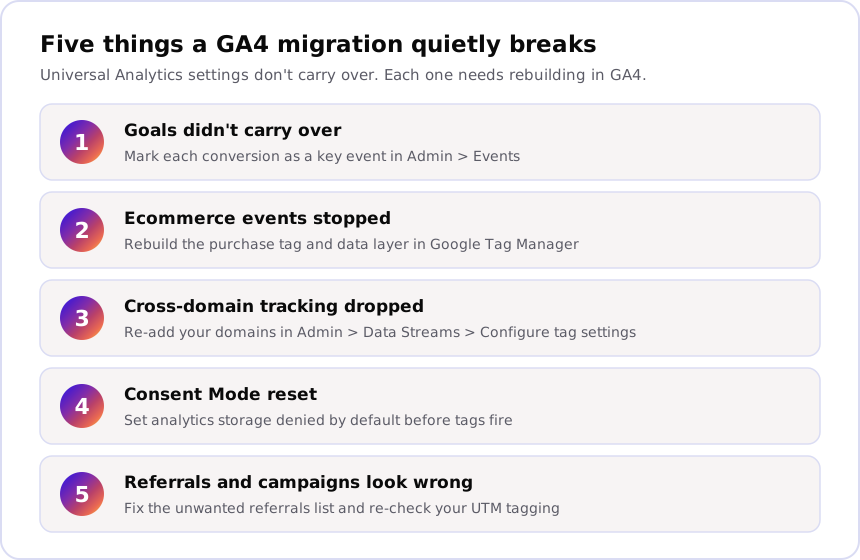
- Goals didn’t become key events. Universal Analytics goals do not convert into GA4 key events, so the conversions you reported for years read as zero until you recreate and mark them.
- Ecommerce events stopped. The old ecommerce data layer and its
purchasecalls rarely line up with GA4’s ecommerce spec, so revenue, items and transactions go missing or arrive without parameters. - Cross-domain tracking dropped. Domains linked under Universal Analytics are not carried into the GA4 data stream, so a checkout or booking flow on a second domain now shows up as a fresh session and self-referral.
- Consent Mode reset. Consent signals often land in a state where analytics storage is denied by default, so consented EU and UK traffic disappears from reports without any error.
- Referrals and campaigns look wrong. Payment and subdomain referrals that were excluded before come back, and UTM tagging that fed the old campaign reports needs re-checking against GA4’s traffic-source logic.
How do you tell what the migration actually broke?
Work from evidence, not guesswork: use DebugView and Realtime to see what the site sends now, then compare GA4 against a source you already trust. That splits a collection problem (nothing is firing) from a configuration problem (events fire but are not counted the way you need).
-
Open Realtime. In GA4 go to Reports > Realtime, load your own site in another tab and click through a key journey. If you appear and events land, collection is alive and the fault is in configuration.
-
Watch DebugView. Go to Admin > DebugView, turn on debug mode with the Google Analytics Debugger extension or GTM Preview, then walk a purchase or lead journey. Note which events fire, and whether
purchasecarriesvalue,currencyand anitemsarray. -
Reconcile against the source of truth. Compare GA4 conversions and revenue to Shopify, Stripe or your CRM for the same dates. A drop that started the week you migrated, or a gap far past what is normal to see below, is a real fault.
A gap of roughly 10 to 15% between Shopify and GA4 purchases is normal; beyond that is worth investigating.
-
Scan the page from outside. For a fast read on what tags and consent actually fire on a live URL, Sonar, our free tracking checker, reports the tags, pixels and consent setup it can prove from a single scan, with no account access needed.
Our diagnostic for a property that shows no data at all runs the same Realtime and DebugView checks in order, in GA4 not working, run this check.
How do you fix broken GA4 tracking after a migration?
Fix collection first, then events, then consent, then reconcile: the same order our GA4 audit uses, because each layer depends on the one above it being clean.
- Recreate and mark key events. In Admin > Key events create the conversions you need, or open Admin > Events, find the event and toggle Mark as key event. A key event does not backdate, so mark it the day you migrate, not weeks later.
- Rebuild the ecommerce tags. In Google Tag Manager go to
Tags > New > Google Analytics: GA4 Event, set the event name to
purchase, and mapvalue,currency,transaction_idand theitemsarray from your data layer. Our GA4 ecommerce data layer guide has the exactitemsstructure GA4 expects. - Restore cross-domain tracking. In Admin > Data Streams, open the web stream, choose Configure tag settings > Configure your domains, and list every domain in the journey (for example the main site and the checkout host) so a session survives the hop.
- Set Consent Mode correctly. Configure consent defaults so
analytics_storageis denied before any tag fires, then granted on acceptance, so GA4 can model the consented gap instead of dropping it. Our walkthrough on Consent Mode data loss covers the default state and the update trigger. - Reconcile and lock it. Re-run the source-of-truth comparison from the section above. When GA4 lands within the expected range of Shopify or your CRM, the migration is genuinely fixed, not just quiet.
Can you get your Universal Analytics history back?
No. Google began permanently deleting Universal Analytics data from 1 July 2024, per its Universal Analytics sunset notice, so any history you did not export before then is gone for good. A copy in BigQuery, a spreadsheet or Looker Studio is now your only record of the old numbers. GA4 holds data only from the moment its tag started collecting, which is why a clean collection setup going forward is worth far more than chasing data that no longer exists.
When a broken migration is costing you money
Post-migration breakage does more than mess up reporting; it feeds wrong numbers into Google Ads and Meta, which then optimise against conversions that are not really there. That is the work we scope and fix inside the account: rebuild the key events, the ecommerce data layer, Consent Mode and cross-domain tracking, then reconcile GA4 against the source you trust. Here is what that looked like on one engagement.
Restored accurate conversion tracking within 48 hours after a Shopify Checkout Extensibility upgrade broke it, avoiding an estimated $1.5M in wasted ad spend and mis-optimised Google Ads. A platform change that silently breaks tracking is the same shape of problem as a migration, and it is the fault we find most.
If you want a fast, free read first, scan the URL with Sonar to see what fires now. When you already know the data cannot be trusted and want someone in the account, our paid audit works through the five layers above and hands back a written findings report that names each fault, its impact and the fix. You can see how we approach the tracking work we do for clients, or start with talking to us if you would rather talk the problem through first.
Frequently asked
Does migrating to GA4 automatically break tracking?
Not outright, but it rarely arrives intact. Google's setup assistant copies the property and some settings across, yet Universal Analytics goals, ecommerce events, cross-domain settings and consent handling do not map one to one onto GA4's event model. The tag usually fires, so data flows and nothing looks obviously broken, while conversions, revenue and campaign attribution quietly stop matching what you had. That gap is what most post-migration fixes are actually about.
Why is my GA4 data lower than Universal Analytics was?
Two reasons stack up. GA4 counts sessions and events differently from Universal Analytics, so the same traffic produces different totals even when tracking is healthy. On top of that, Consent Mode often reverts to a state where analytics storage is denied by default, so consented EU and UK traffic drops out silently. GA4 also undercounts a source like Shopify from consent-blocked sessions, ad blockers and refunds. Here is the gap that is normal to see. A gap of roughly 10 to 15% between Shopify and GA4 purchases is normal; beyond that is worth investigating.
Can I recover Universal Analytics data after the migration?
No. Google began permanently deleting all Universal Analytics data from 1 July 2024, so any historical data you did not export before then is gone and cannot be restored. If you exported to BigQuery, a spreadsheet or Looker Studio in time, that copy is your only historical record. GA4 only holds data from the point its tag started collecting, which is why fixing collection going forward matters more than chasing old numbers.
How long does it take to fix broken GA4 tracking after migration?
It depends on how much broke and how the site is built, so we scope it per property rather than quoting a flat time. A single missing key event is a same-day fix; a full ecommerce rebuild with Consent Mode and cross-domain tracking takes longer. As a marker of pace, here is one example. Restored accurate conversion tracking within 48 hours after a Shopify Checkout Extensibility upgrade broke it, avoiding an estimated $1.5M in wasted ad spend and mis-optimised Google Ads.