- Analytics Audit
- Tracking
- GA4
- GTM
Best Digital Analytics Audit Tools (Free and Paid)
By Dolphin Analytics team · Published 21 Aug 2026 · Updated 24 Sept 2026
TL;DR
The best digital analytics audit tool depends on what you need to prove. Sonar, our free tracking checker, reads any URL in one click for a fast first look at what is tracking. GA4 DebugView and Google Tag Assistant check whether tags fire, free but page by page. ObservePoint crawls large sites at enterprise cost. Stape covers server-side setups.
Olamide Sule, founder of Dolphin Analytics: a digital analytics expert based in London delivering solutions for agency and in-house clients.
Someone has told you the tracking is wrong, and now you need to prove it before spending money on a fix. If you’re pulling your hair out with data challenges like this, a tracking audit is where you start: find the fault before you pay for one. That is what these tools are for, and we use them in client audit work most weeks, including Sonar, which we built. This round-up covers the tools that inspect analytics tracking itself: whether tags fire, what data they send, and whether the setup holds across a site. It doesn’t cover the analytics platforms you audit (for GA4, Adobe and the rest, see our digital analytics tools comparison).
We run tracking audits for agencies and marketing teams every week, so this is the honest version: what each tool can actually prove, what it can’t, and where the free ones stop and a paid audit starts. Product details were checked on 21 August 2026 against each vendor’s own pages; confirm current pricing before you commit.
The verdict: Start with Sonar for a free first read, then confirm what’s firing in GA4 DebugView and Google Tag Assistant. Move to ObservePoint only if you need continuous monitoring across a large site, and add Stape’s tools when the tracking runs server-side.
What does a digital analytics audit tool actually do?
A digital analytics audit tool inspects your tracking setup and reports whether it works, rather than reporting on your traffic. It checks which tags fire on a page, what data those tags send to GA4, Google Ads or Meta, whether events fire once or twice, and whether consent settings block collection. The good tools show you the actual network request leaving the browser, so you can read the exact values instead of trusting a dashboard.
These tools split by one question: are you checking a page, or a site? A browser debugger checks the page you are on, in depth, one journey at a time. A crawler checks thousands of pages automatically but with less nuance. Most audits use both: a crawler to find where tracking is missing, then a debugger to work out why on the pages that matter.
The best digital analytics audit tools at a glance
Five tools cover almost every audit. Here is how they line up before the detail.
| Tool | What it proves | Best for | Cost | Reach |
|---|---|---|---|---|
| GA4 DebugView | Events actually arrive in GA4, live | Confirming the last step of the chain | Free | Your debug session only |
| Google Tag Assistant | Which tags and triggers fire per page | Debugging a single page or journey | Free | Page by page, manual |
| Browser inspectors (Analytics Debugger, DataSlayer, Omnibug) | The exact hits and parameters sent | Reading payloads across GA4, Meta, Ads | Free | The page you are on |
| ObservePoint | Tags fire correctly across a whole site | Large sites needing governance and monitoring | Enterprise, quoted per account | Thousands of pages, scheduled |
| Stape tools | Server-side tags receive and send correctly | Auditing server-side GTM setups | Free tools; hosting is paid | Server container |
Details checked 21 August 2026; verify current pricing before you buy.
Sonar sits outside the numbered list below, because it’s ours, not a rival to weigh up. Sonar is Dolphin Analytics’ free scanner, and it gets you a first read in one click. You paste in a URL and it reads the page and reports the tracking it finds: GA4, Google Tag Manager, Meta, and more, with nothing to install and no debug mode to configure. We built it as its own kind of audit: an outside-in scan that sees the page the way a visitor’s browser does, which also makes it useful when you want to check a site you don’t have GTM access to.
Sonar is deliberately a starting point, not a full audit. It tells you what is present on the page you scan; it does not click through a checkout, validate every parameter, or judge whether the numbers are right. It answers “is tracking here and roughly sane,” then points you at what to check next. Here is how the five tools that go deeper compare, best for first.
1. GA4 DebugView: best for confirming the last step of the chain
GA4 DebugView is the free report inside GA4 that shows events arriving from your device in real time, the moment you trigger them. It is the fastest way to prove the last link in the chain: GA4 received the event with the parameters you expected, beyond the tag simply firing in the browser. Turn on debug mode (the Google Analytics Debugger extension does this), then click through the site and watch events stream in.
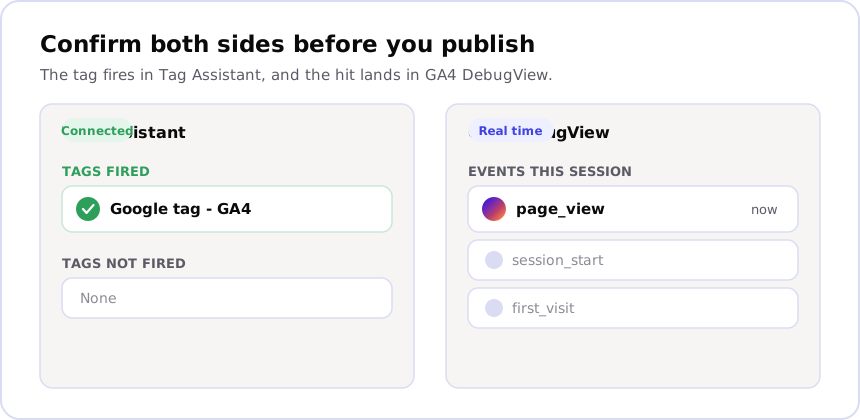
The limit is scope. DebugView only shows your own debug traffic, on pages you visit by hand, so it confirms a setup works but cannot tell you a tag is broken on 400 product pages you never opened. Use it to verify, not to find problems at scale.
2. Google Tag Assistant: best for debugging a single page or journey
Google Tag Assistant is Google’s free tool for recording a debug session and seeing exactly which tags, triggers and variables fire as you move through a site. It connects to your Google Tag Manager container in preview mode, so you see the firing logic as well as the result: why a tag fired, or why it didn’t. For debugging one page or one conversion path, it is the tool most analysts open first.
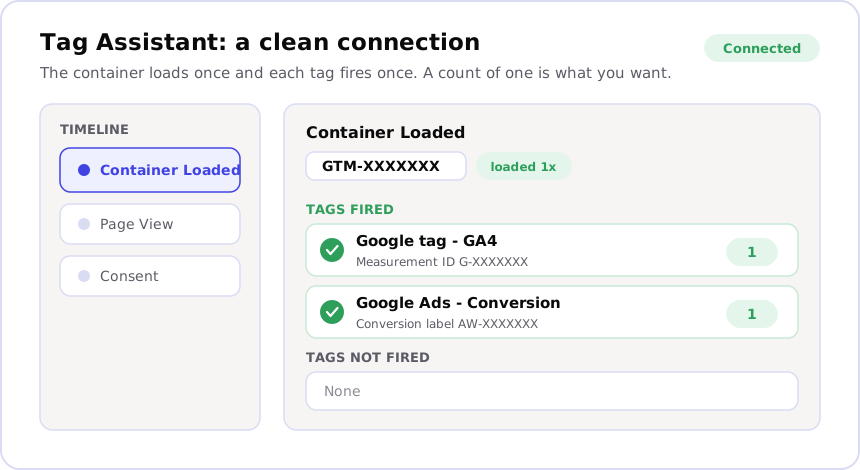
It is manual and page by page. Tag Assistant tells you nothing about pages you don’t click, and reading a busy container takes practice. It is a scalpel for a known problem, not a net for finding unknown ones.
3. Browser inspectors: best for reading payloads across GA4, Meta and Ads
Free browser extensions like Analytics Debugger, DataSlayer and Omnibug sit in your developer tools and print every tracking hit as it fires: the GA4 events, the Meta pixel calls, the Google Ads conversions, with all their parameters. Where Tag Assistant shows that a tag fired, these show precisely what it sent, which is what you need when an event fires but with the wrong value or a missing field.
They overlap with Tag Assistant and mostly come down to preference. The trade-off is the same as the other browser tools: deep on the current page, blind to the rest of the site.
4. ObservePoint: best for large sites needing governance and monitoring
ObservePoint is the paid, enterprise answer to the “one page at a time” limit. It crawls thousands of pages automatically, checks that tags fire and carry the right values against rules you define, then re-runs on a schedule and alerts you when something breaks. For a large site where a broken tag costs real money and nobody can check every page by hand, that automation is the point.
Pricing is not public; it is quoted per account on annual contracts aimed at big organisations. For a single audit of a small or mid-size site, it is far more tool than the job needs. Its value is continuous monitoring across a large estate, not a one-off look.
5. Stape: best for auditing server-side GTM setups
Stape is a hosting provider for server-side Google Tag Manager, and it publishes free browser tools that matter when tracking runs on a server rather than in the page. Its tag debugger and consent checker show what the server container receives and forwards, which the page-based tools above cannot see. If your tracking moved server-side and the browser debuggers suddenly show less than they used to, that is the gap Stape fills.
The hosting itself is a paid product, but the debugging tools are free to use. Server-side setups are where audits most often go wrong, because the logic is hidden from the browser, so having a tool built for that layer is worth the extra step.
Where tracking breaks
Every tool above is honest about the page it can see, and blind to everything else. Consent banners are the biggest gap: on a basic Consent Mode implementation, if a visitor declines cookies, GA4 DebugView and Tag Assistant show nothing at all, because the tag never fired, not because it broke (an advanced implementation still sends a cookieless ping, so this gap narrows once that’s in place). A dashboard showing a sudden drop in sessions after consent mode shipped often means consent is working exactly as built, not that tracking failed.
Single-page apps hide a second failure. GA4’s page-view enhanced measurement setting listens for browser history events to catch a route change; when that listener isn’t catching the change, a tag that only fires on the initial load never fires again after the first view. Tag Assistant looks clean because the container itself is fine, but only a manual click-through catches the missing page-view event on the next screen.
Cross-domain journeys and server-side tags fail the same way: the browser
tools only see one side of the handoff. GA4’s
cross-domain measurement
passes the client ID between domains as a _gl URL parameter; a redirect
that strips it, or a server container quietly rejecting a hit, produces no
error a page-based debugger will ever show.
We check all three of these as part of every tracking audit, because a tool that reports no errors and a setup that actually works are not the same claim.
Which digital analytics audit tool should you actually use?
Start free and match the tool to the question. To read one page or one conversion path in depth, use Google Tag Assistant plus a browser inspector, and confirm the result in GA4 DebugView. To get a quick read on a site without setup, run Sonar. To watch tags across thousands of pages continuously, ObservePoint is the enterprise choice. To audit a server-side setup, add Stape’s tools to the mix.
| Your situation | Start with |
|---|---|
| Debug one page or one conversion in depth | Google Tag Assistant + a browser inspector |
| Confirm events actually reach GA4 | GA4 DebugView |
| Fast first read of a site, no install | Sonar |
| Monitor tags across a large site continuously | ObservePoint |
| Audit server-side GTM | Stape tools + GA4 DebugView |
Most one-off audits never need the paid tier. The free tools prove whether tags fire; the expensive part of an audit is a different question entirely.
Why the tool is only half the audit
Every tool here proves the same narrow thing: a tag fired and sent data. None of them proves the number is true. That is the gap that costs businesses the most, and it is the part a tool cannot close for you.
A gap of roughly 10 to 15% between Shopify and GA4 purchases is normal; beyond that is worth investigating. No debugger flags that as a fault, because of consent-blocked sessions, ad blockers, refunds and dropped events; the tags are firing exactly as built. Deeper faults hide the same way: a report can carry a figure nobody rechecked against the source, and no tag debugger will surface it, because every tag is working. That is why we check the numbers themselves: Every number in our reports is machine-checked against the source data before it ships. Reconciling tracked numbers against source data, deal records or the finance system is the audit work that still needs a person.
So use the free tools first. Run Sonar for a first read, then Tag Assistant and DebugView to confirm what fires. Our GA4 audit checklist walks through the manual checks step by step, and how we approach tracking shows the checks we run before trusting any platform. When the tools show that tags fire but the numbers still don’t add up, that is the point to talk to someone, before you spend on a fix that treats the wrong problem. Tell us what’s broken, or book a call.
Frequently asked
What is the best tool for a digital analytics audit?
There isn't one best tool, because a digital analytics audit asks two different questions. To check whether tags fire, Sonar gives you a fast first read across a page without installing anything, and GA4 DebugView and Google Tag Assistant are free and precise. To validate tags across thousands of pages, ObservePoint is the enterprise option. To confirm the numbers actually match the business, no tool decides that for you; that is what a human audit is for.
Is there a free digital analytics audit tool?
Yes, several. Sonar, our free scanner, reads any single URL and reports what tracking is present, with no install. GA4 DebugView (built into GA4), Google Tag Assistant, and browser inspectors like Analytics Debugger and DataSlayer are also free and show whether tags fire and what data they send. The free tools cover spot checks well; the paid tools add scale and monitoring.
What does ObservePoint do that free tools don't?
ObservePoint crawls a whole site automatically and checks tags across thousands of pages against rules you set, then re-runs on a schedule and alerts you when a tag breaks. Free tools like Tag Assistant only see the page you are on. ObservePoint is priced for enterprises, quoted per account, so it suits large sites with governance needs rather than a one-off check.
Can an audit tool tell me if my analytics data is wrong?
Only partly. A tool proves a tag fired and sent data; it cannot prove the number matches what happened in the business. A gap of roughly 10 to 15% between Shopify and GA4 purchases is normal; beyond that is worth investigating. No debugger flags that gap on its own, because of consent-blocked sessions, ad blockers and dropped events. Reconciling tracked numbers against source data is the part of an audit that still needs a person.
How do I audit server-side tracking?
Browser tools miss most of a server-side setup, because the tags run on a server, not in the page. Stape, a server-side GTM host, publishes free tools for this, including a tag debugger and a consent checker that show what the server container receives and sends. GA4 DebugView still confirms whether the events land in GA4 at the end of that chain.